
Stripe Payments PRO
Compatibility: 1.5.5–2.2, 2.3, 3.x, 4.x/4.1
Accept cards through Stripe Checkout, with eligible Apple Pay and Google Pay and verified updates to OpenCart orders.
Stripe Payments PRO
Accept cards through Stripe Checkout, with eligible Apple Pay and Google Pay and verified updates to OpenCart orders.
Explore the payment workflow
From the provider’s payment page to the order in your store, each step has a clear purpose.
A familiar provider checkout
Customers use the provider’s secure payment page. Available payment options depend on the merchant account, country and customer.
Check the original order
The extension checks the provider’s response against the original order, amount and currency before updating OpenCart.
Keep your native order workflow
Verified results use OpenCart order history. Repeated notifications are checked to avoid repeating stock and notification effects.
Look inside the administration
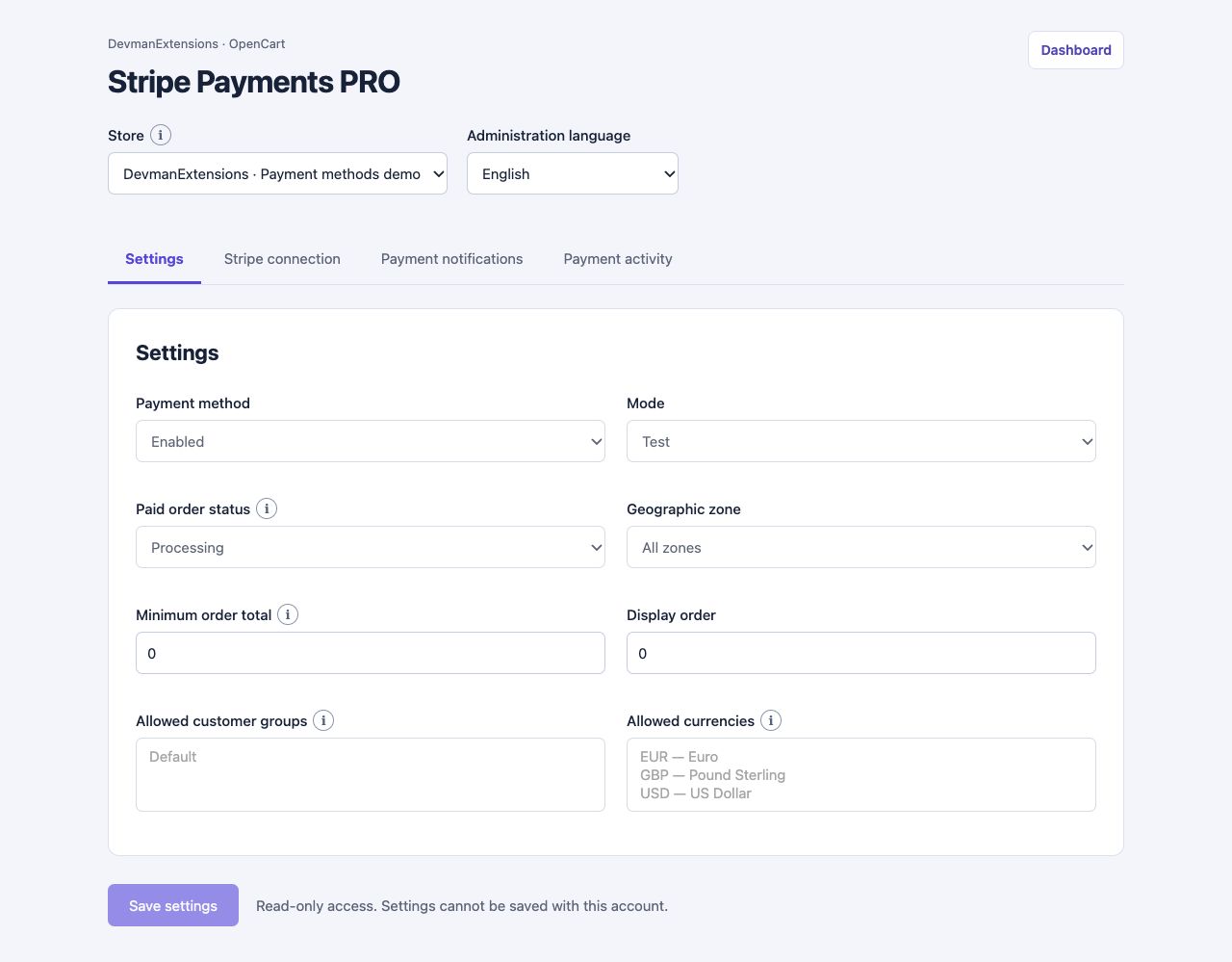
Actual payment settings
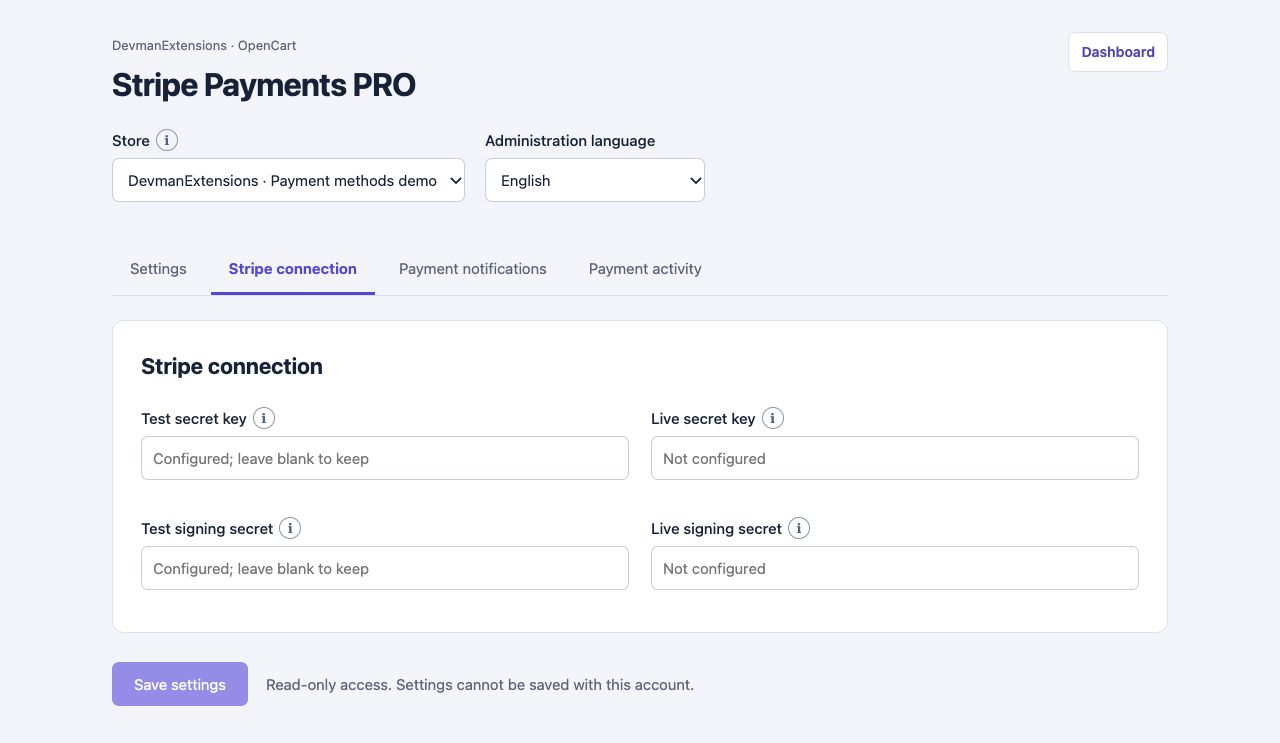
Separate test and live connections
What you can do
A familiar checkout on Stripe
Cards and supported mobile wallets share a hosted payment page. Wallet availability depends on your Stripe account, country and buyer device.
Orders follow verified payments
OpenCart confirms the order after checking the paid amount, currency and order identity. Repeated payment notifications do not repeat stock deductions.
Clear controls for each store
Keep separate test and live credentials for each store, review payment attempts and manage the extension through licensed administration in eight languages.
Keep your normal order workflow
Choose the native paid status that fits your business. Verified payments update OpenCart order history and use its normal stock and notification handling, so your team can keep working in the store administration.
See which payments need attention
Review recent payment attempts and their status in the administration. Uncertain payment or order updates are held for review before repeating fulfillment, helping your team investigate interruptions without asking the customer to pay again blindly.
Offer the payment method where it fits
Set a minimum order total, a geographic zone and the payment method’s display order. Each store keeps its own settings and separate test/live credentials. Check the complete flow in test mode before enabling real payments.
Useful answers before purchase
What does my store need?
Requires a suitable Stripe merchant account, HTTPS, a 64-bit PHP runtime, cURL and OpenSSL. Separate installers cover OpenCart 1.5.5–2.2, 2.3, 3.x and 4.x/4.1. Custom themes and checkout extensions require an assessment of their exact versions.
Are Stripe fees included?
The license covers this extension. Your Stripe account, merchant agreement and transaction fees are managed separately with Stripe.
Does this version support subscriptions or refunds from OpenCart?
This initial version handles one-off card and eligible wallet payments. Subscriptions, saved-card checkout and refunds from OpenCart are not included. Manage refunds in Stripe and review the related OpenCart order separately.
$75.00 $37.50
What do you need?
Digital download after payment confirmation. No shipping charges.
Converted prices are estimates. Payment currency is confirmed at checkout.
Backend Demo Frontend Demo